The professional landscape has transformed beyond recognition in recent years, fundamentally altering how organisations approach physical workspace design and remote collaboration infrastructure. Today’s enterprises face a complex challenge: balancing the proven productivity benefits of distributed work with the irreplaceable value of in-person connection. With approximately 30 per cent of all workdays now conducted remotely across Western economies—a sixfold increase from pre-pandemic levels—the question is no longer whether remote work will persist, but rather how organisations can strategically design workspaces that serve increasingly mobile workforces. This shift demands a comprehensive rethinking of corporate real estate, technology investments, and employee experience design.
Hybrid workspace models: Activity-Based working and Hot-Desking infrastructure
The traditional office paradigm of assigned desks and fixed workstations has given way to more dynamic, flexible workspace models that reflect contemporary work patterns. Activity-based working represents a fundamental reimagining of office design, where different zones support specific work modes rather than housing permanent residents. This approach acknowledges that modern knowledge work involves varied activities throughout the day—from focused individual tasks requiring silence and concentration to collaborative sessions demanding open interaction spaces.
Hot-desking infrastructure has evolved considerably from its early iterations, moving beyond simple unassigned seating to sophisticated systems that balance flexibility with personalisation. Today’s hot-desking environments incorporate technology that enables employees to reserve preferred workspace types in advance, ensuring they can secure an environment suited to their daily tasks. This evolution addresses earlier criticisms of hot-desking, where employees struggled with lack of ownership and the daily uncertainty of workspace availability. Modern implementations recognise that whilst permanence may be unnecessary, predictability and choice remain essential to employee satisfaction and productivity.
The success of these hybrid models hinges on thoughtful space planning that considers both quantitative metrics—such as peak occupancy rates and workspace utilisation patterns—and qualitative factors including acoustic comfort, visual privacy, and ergonomic quality. Organisations are discovering that activity-based working requires more total square footage than traditional assigned seating, as diverse workspace types must coexist to serve different needs. The trade-off, however, lies in reduced overall real estate requirements when combined with remote work policies that decrease daily on-site attendance.
Desk booking systems: envoy, OfficeSpace, and condeco platform integration
Technology platforms have become indispensable in managing the complexity of flexible workspace arrangements. Envoy, one of the market’s leading workplace platforms, offers comprehensive desk booking functionality integrated with visitor management, room scheduling, and workplace analytics. The system allows employees to view real-time availability, reserve specific workstations based on equipment needs or location preferences, and even see which colleagues have booked nearby desks to facilitate spontaneous collaboration. This visibility transforms the daily office experience from an exercise in uncertainty to a planned, purposeful activity.
Similarly, OfficeSpace provides robust space management capabilities that extend beyond simple reservation functionality. The platform enables facilities teams to track workspace utilisation patterns over time, identifying underused areas and spaces that consistently face high demand. These insights inform data-driven decisions about office reconfiguration, ensuring that physical layouts evolve to match actual usage patterns rather than assumptions about how spaces should function. Integration with building access systems and calendar applications creates seamless experiences where workspace reservations automatically sync with employee schedules and grant appropriate building access.
Condeco distinguishes itself through sophisticated analytics that help organisations optimise their real estate portfolios. The platform’s reporting capabilities reveal granular details about space performance, from individual desk utilisation rates to neighbourhood-level occupancy trends. When combined with employee feedback mechanisms, these systems create continuous improvement loops where workspace design responds dynamically to evolving needs. The integration of these platforms with existing enterprise systems—including Active Directory, Slack, and Microsoft Teams—ensures that desk booking becomes a natural part of daily workflows rather than an additional administrative burden.
Neighbourhood zoning: collaborative hubs versus focus pods architecture
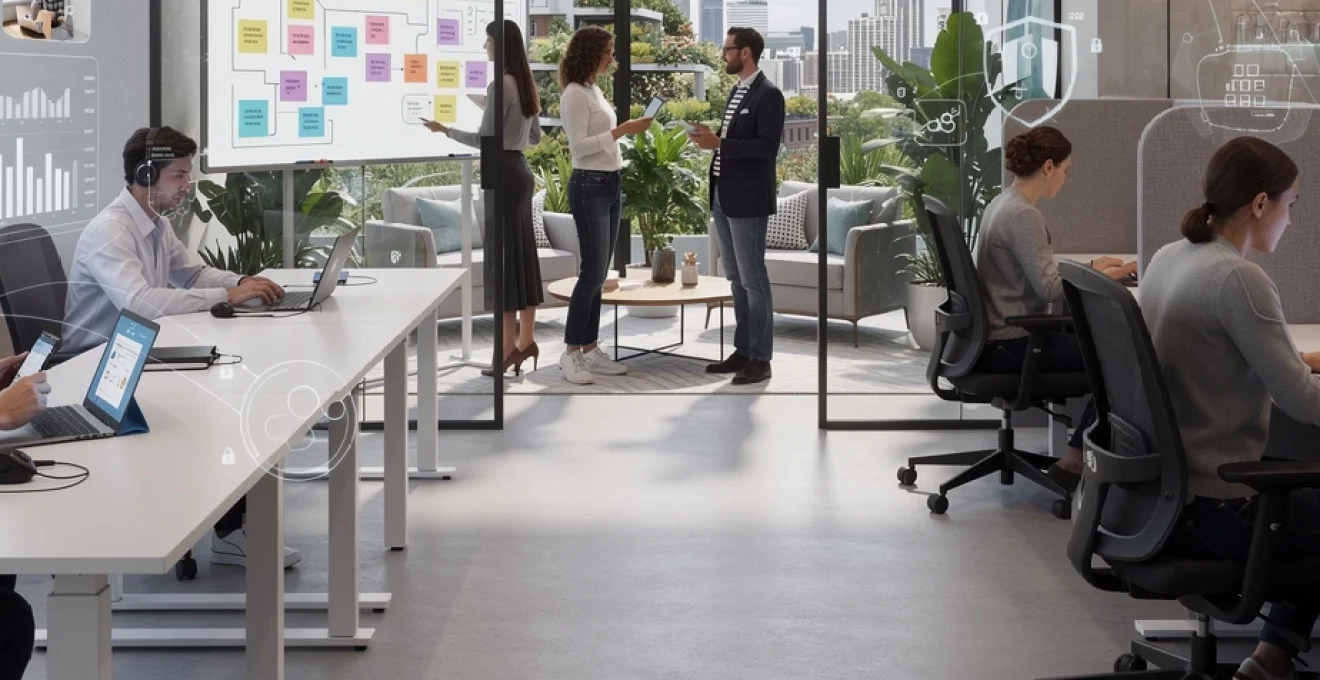
Contemporary office design increasingly employs neighbourhood zoning strategies that create distinct districts within larger floorplates, each optimised for particular work modes. Collaborative hubs occupy prominent positions with high visibility and accessibility, featuring flexible furniture arrangements that can accommodate various group sizes and meeting formats. These spaces typically incorporate writable surfaces, large displays for content sharing, and acoustic treatments that contain sound whilst maintaining an energetic atmosphere. The architecture
intentionally differentiates between zones that invite interaction and those that protect deep focus time. In contrast to these buzzing collaboration hubs, focus pods and quiet zones are tucked away from main circulation paths, often featuring higher partitions, sound-masking systems, and strict etiquette around phone calls and ad-hoc conversations. Many organisations are adopting “library rules” for these areas, signalling that they are as sacrosanct as a reading room: work that demands concentration happens here, and social interaction moves elsewhere. By clearly articulating these neighbourhood norms and supporting them with visual cues and wayfinding, companies help employees navigate the office like a well-designed city, choosing the district that best fits the task at hand.
Neighbourhood zoning also supports team identity in a mostly remote world, giving distributed groups a “home base” when they do come together. Rather than scattering staff randomly across a floor plan, organisations cluster related functions into semi-permanent neighbourhoods with shared storage, team branding, and dedicated collaboration spaces. This balance of flexibility and familiarity reduces the disorientation that can accompany hot-desking, while still enabling high space utilisation and fluid seating. The long-tail benefit is cultural: when teams know where and how to find each other, the office becomes a magnet for meaningful interaction rather than a place to simply plug in a laptop.
Occupancy analytics: IoT sensors and real-time space utilisation metrics
As hybrid work patterns stabilise, many leaders are asking a simple question: how much space do we really need? Occupancy analytics powered by IoT sensors provide an objective answer by tracking how desks, meeting rooms, and social areas are actually used throughout the week. Ceiling-mounted sensors, desk-level beacons, and smart badges can anonymously capture presence data, feeding real-time dashboards that show which zones are consistently full, which sit idle, and how utilisation fluctuates by day and time. When combined with booking data from platforms like Envoy or OfficeSpace, this creates a powerful, data-driven picture of space performance.
Real-time utilisation metrics also enable more responsive workplace operations. Facilities teams can adjust cleaning schedules based on actual occupancy, optimise heating and cooling in underused wings, and right-size meeting room inventories when analytics reveal chronic mismatches between room capacity and meeting size. For organisations pursuing a remote-first or hybrid workplace strategy, these insights are as critical as web analytics are to an e-commerce site—they highlight friction points, wasted capacity, and opportunities to improve the employee experience. The key is to frame analytics as a tool for better remote workspaces, not as a surveillance mechanism, with clear communication about data privacy and aggregation.
Flex-ratio planning: square footage per employee in post-pandemic offices
In the pre-pandemic era, many companies planned offices around a relatively fixed ratio of one desk per person, with a standardised amount of square footage allocated to each workstation. Hybrid work has rendered that model obsolete. Organisations are now experimenting with “flex ratios” that assume only a portion of the workforce will be on-site at any given time—perhaps 40 to 60 per cent on peak days, and far fewer the rest of the week. This shift allows companies to reduce total square footage while reallocating a higher proportion of space to collaboration zones, social areas, and speciality rooms such as podcast studios or wellness suites.
Determining the right flex ratio requires more than a simple headcount reduction; it calls for scenario modelling based on attendance patterns, team rituals, and critical in-person activities. For example, a product organisation that hosts regular design sprints and quarterly planning sessions will need generous collaboration space even if most day-to-day work happens remotely. Many workplace strategists now treat square footage per employee as a dynamic metric that evolves with remote work policies, recruiting geography, and business growth. When done well, flex-ratio planning aligns the physical footprint with a remote-first culture, ensuring that every square metre supports high-value interactions rather than serving as an expensive storage area for empty chairs.
Remote collaboration technology stack for distributed teams
If the physical office is no longer the primary container for work, the remote collaboration stack effectively becomes the new workspace. For distributed teams, tools are not just utilities; they are the walls, hallways, and meeting rooms of a digital office. Selecting and integrating the right mix of platforms—communication, documentation, project tracking, and virtual collaboration—is therefore a strategic decision, not a purely technical one. The most successful remote-first organisations take a deliberate approach, defining how and when each tool is used, and building workflows that support asynchronous work by default.
This intentionality is essential because tool sprawl can quickly undermine productivity in a remote environment. Employees who receive notifications across half a dozen platforms may struggle to find information or understand which channel carries which type of message. To avoid this, many companies now articulate a “source of truth” for different categories of work: for example, Slack or Microsoft Teams for quick conversations, a knowledge base in Notion for persistent documentation, and a project management tool like Asana or ClickUp for tasks and deadlines. The goal is to make collaboration as intuitive as walking into the right room in a well-designed office.
Asynchronous communication platforms: slack, microsoft teams, and notion workflows
In a mostly remote world, asynchronous communication is the backbone of effective collaboration across time zones. Platforms such as Slack and Microsoft Teams have evolved from simple chat tools into comprehensive collaboration environments with channels, threaded discussions, app integrations, and workflow automation. When used thoughtfully, they reduce the need for real-time meetings by allowing teams to share updates, ask questions, and make decisions in writing. This written-first approach not only supports flexible schedules but also creates a searchable record of decisions, which is invaluable for new joiners and distributed stakeholders.
Notion complements these tools by acting as a living workspace where teams can document processes, store project briefs, and maintain shared roadmaps. Rather than scattering information across emails and slide decks, organisations create structured spaces for documentation, turning tacit knowledge into explicit assets. You can think of Slack or Teams as the digital corridor where conversations happen, while Notion functions as the conference room wall where the final plan is pinned for everyone to see. Together, they enable remote teams to move away from “meeting-first” habits toward a more sustainable asynchronous rhythm.
Virtual whiteboarding solutions: miro, FigJam, and conceptboard for remote ideation
One of the most persistent myths about remote work is that it stifles creativity and spontaneous ideation. Virtual whiteboarding platforms such as Miro, FigJam, and Conceptboard challenge that assumption by recreating—and in some ways enhancing—the experience of gathering around a physical whiteboard. These tools provide infinite canvases where participants can add sticky notes, diagrams, and frameworks in real time, regardless of location. Templates for user journey maps, Kanban boards, and retrospectives help teams jump-start sessions without spending time drawing boxes and lines.
When combined with good facilitation practices, virtual whiteboards can make remote workshops even more inclusive than in-person sessions. Introverted participants often find it easier to contribute via text or digital sticky notes, and time-boxed activities ensure that no single voice dominates the conversation. Sessions can also be recorded and preserved, allowing those in different time zones to review outputs and add comments later. In this way, remote ideation becomes less like a one-time meeting and more like an evolving mural, where ideas accumulate and mature over several days rather than being erased at the end of an hour.
Video conferencing infrastructure: zoom rooms, webex, and spatial audio technology
Despite the rise of asynchronous workflows, real-time video conferencing remains a critical layer of the remote collaboration stack. Platforms such as Zoom and Webex have become ubiquitous, but the focus is shifting from basic connectivity to experience quality. Organisations are investing in dedicated Zoom Rooms and equivalent setups that standardise cameras, microphones, and displays, ensuring that hybrid meetings do not devolve into a few in-room participants dominating the discussion while remote attendees struggle to hear. Spatial audio and intelligent framing technologies further narrow the gap between physical and virtual presence, making it easier to read body language and follow multi-person conversations.
For many distributed teams, the goal is not to replicate every nuance of an in-office meeting but to make remote participation feel like a first-class experience. This means clear protocols: cameras on or off by default, how to handle side conversations, and when to record sessions for colleagues in other time zones. It also means being selective about which interactions truly require synchronous video; reserving live calls for complex discussions or relationship-building ensures that when people do connect, their time together feels purposeful rather than perfunctory.
Project management systems: asana, monday.com, and ClickUp for remote oversight
Without the visual cues of a shared office—busy desks, impromptu check-ins, whiteboards covered in tasks—leaders in remote-first organisations must rely on transparent project management systems to maintain alignment. Tools such as Asana, Monday.com, and ClickUp provide a central view of work in progress, deadlines, dependencies, and ownership. Instead of asking “What are you working on?” in a status meeting, managers can see project health at a glance, while team members understand how their tasks contribute to broader outcomes. This shift from person-centric oversight to work-centric visibility is fundamental to building trust in a distributed environment.
Effective use of these platforms requires more than simply listing tasks; it involves designing workflows that reflect how the organisation actually operates. For example, a remote marketing team might define stages from “Idea” to “In review” to “Published,” with automation rules that notify stakeholders at each step. Dashboards and reports can then surface bottlenecks, such as work that repeatedly stalls in a particular phase. Over time, this creates a feedback loop where remote work processes are continually refined—much like tuning a supply chain—so that teams can deliver consistent results without relying on constant meetings or hallway conversations.
Corporate real estate strategy: downsizing and hub-and-spoke office networks
As remote and hybrid workmodels mature, corporate real estate strategies are undergoing a profound recalibration. Many organisations are shedding large, central headquarters in favour of smaller, more flexible footprints that better match a distributed workforce. This downsizing is not simply a cost-cutting exercise—though the savings can be significant—but a strategic reallocation of resources toward technology, talent, and employee experience. Rather than paying for underutilised floors, companies are investing in collaboration tools, home-office stipends, and curated in-person events that deliver higher value per dollar spent.
One emerging model is the hub-and-spoke network, where a company maintains one or more primary hubs in key cities, complemented by smaller satellite offices or coworking memberships closer to where employees live. This structure gives teams optional access to professional-grade spaces without requiring long commutes or relocations, supporting a “work from anywhere” philosophy while still offering occasional in-person contact. For global organisations, regional hubs can also help navigate regulatory complexity and time zone differences, creating local centres of gravity that align with business units or customer markets.
Implementing a hub-and-spoke strategy requires careful analysis of workforce distribution, travel patterns, and collaboration needs. Which roles truly benefit from frequent in-person contact, and which can remain mostly remote? How often do cross-functional teams need to gather, and where should those gatherings take place? Forward-thinking real estate leaders are now working hand-in-hand with HR, IT, and business unit heads to answer these questions, using workforce analytics, scenario planning, and strategic frameworks for evaluating hub locations to design portfolios that are both resilient and adaptable in the face of changing work patterns.
Employee experience design: purposeful office attendance and workplace magnetism
As attendance becomes optional rather than mandatory, the office must earn every visit. This shift reframes the workplace from a compliance requirement to a product that competes with the convenience of home. Employee experience design therefore becomes central to any future-of-work strategy: organisations must clarify why, when, and how people should come together in person. The most compelling answers typically centre on activities that are hard to replicate remotely—deep collaboration, relationship-building, mentoring, and access to specialised resources or experiences.
Purposeful office attendance also requires transparency. Instead of vague mandates to be on-site a certain number of days per week, companies that thrive in a mostly remote world articulate “moments that matter” for in-person work. These might include project kick-offs, design sprints, performance reviews, or team celebrations. When employees know that their commute leads to meaningful interactions rather than a day of video calls from a different chair, the office regains its relevance. In effect, the workspace becomes a magnet, pulling people in for specific, high-value experiences instead of pushing them in through policy.
Social collision spaces: WeWork-inspired lounges and serendipity architecture
One of the greatest losses in a remote-first environment is the serendipitous encounter—the unplanned chat in a hallway or café that sparks a new idea or relationship. To counter this, many companies are redesigning offices to include social collision spaces: lounges, café-style seating areas, and wide circulation paths that encourage chance interactions. Inspired by coworking pioneers like WeWork, these zones often blend comfortable furniture, greenery, and informal work surfaces to create environments where people feel welcome to linger rather than simply pass through.
Serendipity architecture goes deeper than aesthetic choices; it is about orchestrating proximity between people who might not otherwise meet. For example, placing a shared coffee bar between engineering and customer success zones increases the likelihood that a product manager overhears a customer story that influences their roadmap. Like well-designed city squares, these spaces function as communal living rooms for hybrid organisations, providing the social glue that pure remote work can sometimes lack. When done well, they make each office visit feel richer and more connected, reinforcing the value of occasional co-location.
Amenity-rich environments: on-site gyms, barista bars, and wellness rooms
As companies compete for talent in a world where remote roles are abundant, physical workplaces increasingly differentiate themselves through amenities that support well-being and holistic productivity. On-site gyms, yoga studios, barista bars, and wellness rooms—features explored within contemporary workplace lifestyle perspectives—signal that the office is more than a place to work; it supports the whole person. These features are not merely perks but strategic tools for workplace magnetism, giving employees positive reasons to choose the office over home desks for certain days or activities.
However, amenities must align with employee needs and organisational culture to justify their investment. A finance firm with long hours might prioritise healthy food options and restorative spaces, while a creative agency may focus on maker labs and studios. In all cases, the most effective amenity strategies are co-designed with employees through surveys, pilot programs, and feedback loops. This participatory approach ensures that resources are directed toward experiences that genuinely enhance hybrid work—whether that is a well-equipped wellness room for decompression between meetings or a high-quality café that doubles as a casual collaboration hub.
Event-driven office usage: all-hands meetings and quarterly team gatherings
As day-to-day work shifts online, many organisations are repositioning the office as an event venue rather than a default workspace. All-hands meetings, quarterly planning sessions, hackathons, and off-sites are orchestrated as signature experiences that bring distributed teams together for concentrated bursts of connection. This event-driven usage model changes everything from booking patterns to catering requirements and AV infrastructure, but it also unlocks new levels of engagement. Employees begin to associate office visits with energy, alignment, and meaningful interaction rather than routine commutes.
To make this approach sustainable, companies are adopting playbooks for designing and running in-person events that complement remote work rather than duplicating it. For example, a quarterly gathering might focus on strategic alignment, cross-team networking, and innovation workshops, with follow-up tasks and documentation handled asynchronously afterward. In this model, the office becomes a stage for high-impact moments in the employee journey, while the remote workspace remains the default environment for execution. The two contexts work in tandem, each doing what it does best.
Cybersecurity architecture for remote work infrastructure
The rapid expansion of remote work has stretched traditional perimeter-based security models to their limits. With employees connecting from home networks, coworking spaces, and public Wi-Fi, organisations can no longer rely on the office network as a safe boundary. Instead, cybersecurity architecture is shifting toward a “zero trust” paradigm, where no device or user is assumed trustworthy by default, regardless of location. This shift is foundational to building a resilient remote work infrastructure that protects sensitive data without suffocating flexibility.
Practical implementations of zero trust for remote teams include multi-factor authentication, device health checks, and least-privilege access controls that limit each user to only the systems they genuinely need. Virtual private networks (VPNs) and secure access service edge (SASE) solutions help route traffic through encrypted channels, while endpoint protection tools monitor laptops and mobile devices for suspicious behaviour. At the same time, security awareness training must evolve to address remote-specific risks, such as phishing attacks that mimic video conferencing invitations or file-sharing requests. In a mostly remote world, every home office is effectively a branch of the corporate network, and security practices must reflect that reality.
Balancing security with user experience is crucial; overly rigid controls can push employees toward insecure workarounds, such as using personal email accounts for file transfers. Forward-looking organisations therefore involve end users in designing security policies, seeking configurations that protect critical assets while maintaining a smooth flow of work. For example, integrating identity management with collaboration tools can allow single sign-on across multiple platforms, reducing password fatigue while still enforcing strong authentication standards. When security becomes a visible but unobtrusive part of the digital workspace—more like a well-designed seatbelt than a locked gate—remote employees are far more likely to adopt and sustain best practices.
Sustainability metrics: carbon footprint reduction through remote work policies
Beyond productivity and real estate cost savings, one of the most compelling arguments for remote and hybrid work is its potential to reduce environmental impact. Fewer daily commutes mean fewer car journeys and lower transport-related emissions, particularly in regions where public transit is limited. Studies in Europe and North America have suggested that widespread remote work could cut millions of tonnes of CO2 annually, especially when combined with energy-efficient home offices. For organisations with ambitious ESG targets, remote work policies are becoming a core lever in carbon reduction strategies.
To move from assumptions to accountability, companies are beginning to measure the sustainability impact of their work models more rigorously. This can involve tracking average commute distances avoided, estimating energy savings from downsized offices, and assessing the carbon intensity of cloud services used to support remote collaboration. Some businesses even provide employees with guidance on setting up energy-efficient home workspaces, from using LED lighting to selecting efficient equipment. Much like occupancy analytics inform space planning, sustainability metrics allow leaders to fine-tune remote work policies for maximum environmental benefit.
Of course, remote work is not automatically greener in every scenario; increased home energy use and digital infrastructure demand can offset some gains. The key is to approach sustainability in remote work with nuance, considering regional energy grids, building performance, and commuting patterns. When organisations design remote-first strategies with these factors in mind—optimising office locations, supporting low-carbon commute options for required visits, and investing in green data centres—the future of workspaces can contribute meaningfully to climate goals. In that sense, reimagining where and how we work is not just a business imperative, but a critical part of building a more sustainable world.